
Mobile App Guide
An easy guide to the RegistrarPro mobile app
An easy guide to the RegistrarPro mobile app
Welcome to the RegistrarPro mobile app! This powerful companion app allows you to record environmental readings, manage animal transactions, conduct welfare assessments, and access critical information—all from your mobile device.
For the best experience, add RegistrarPro to your device's home screen. This gives you quick access and enables offline functionality.
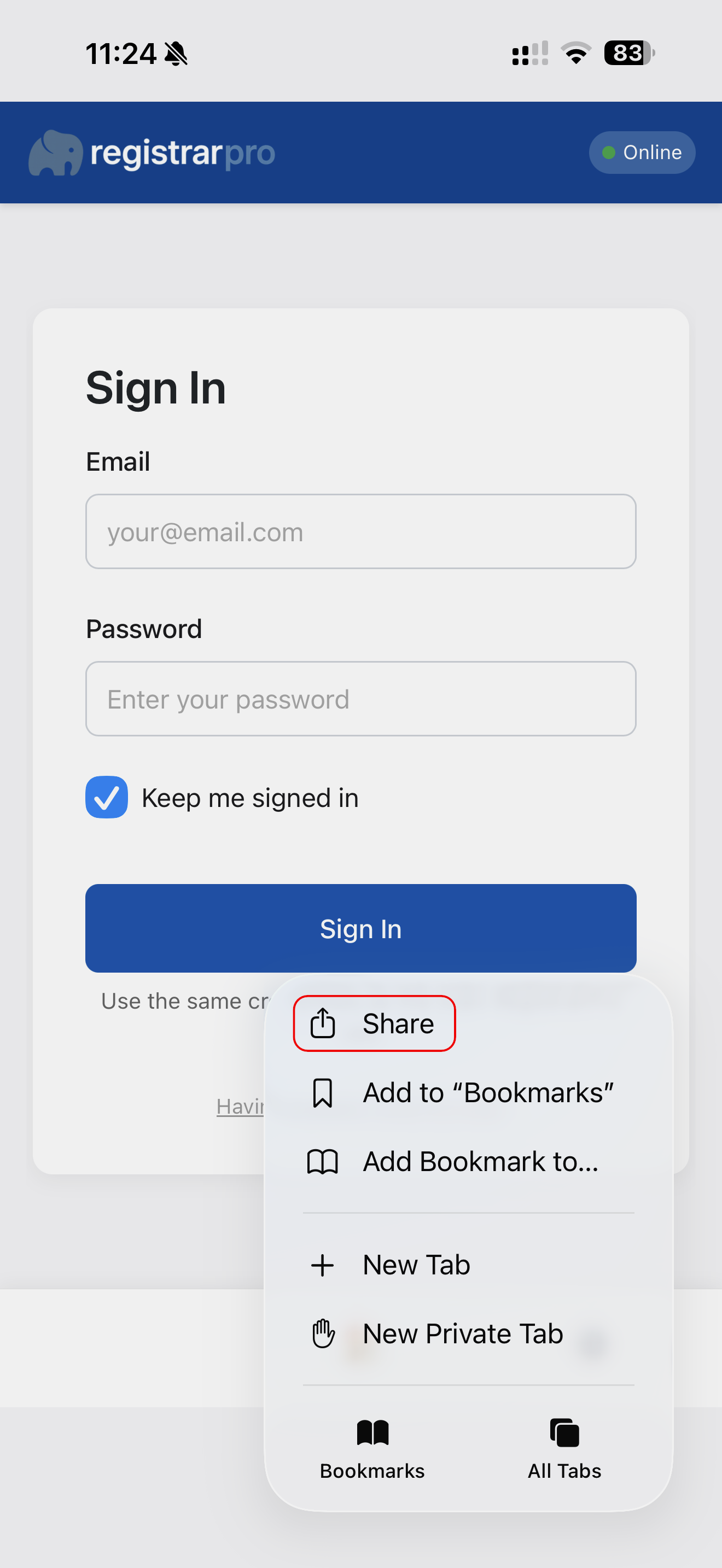
Step 1: Open the mobile app URL in your browser and tap the share button.
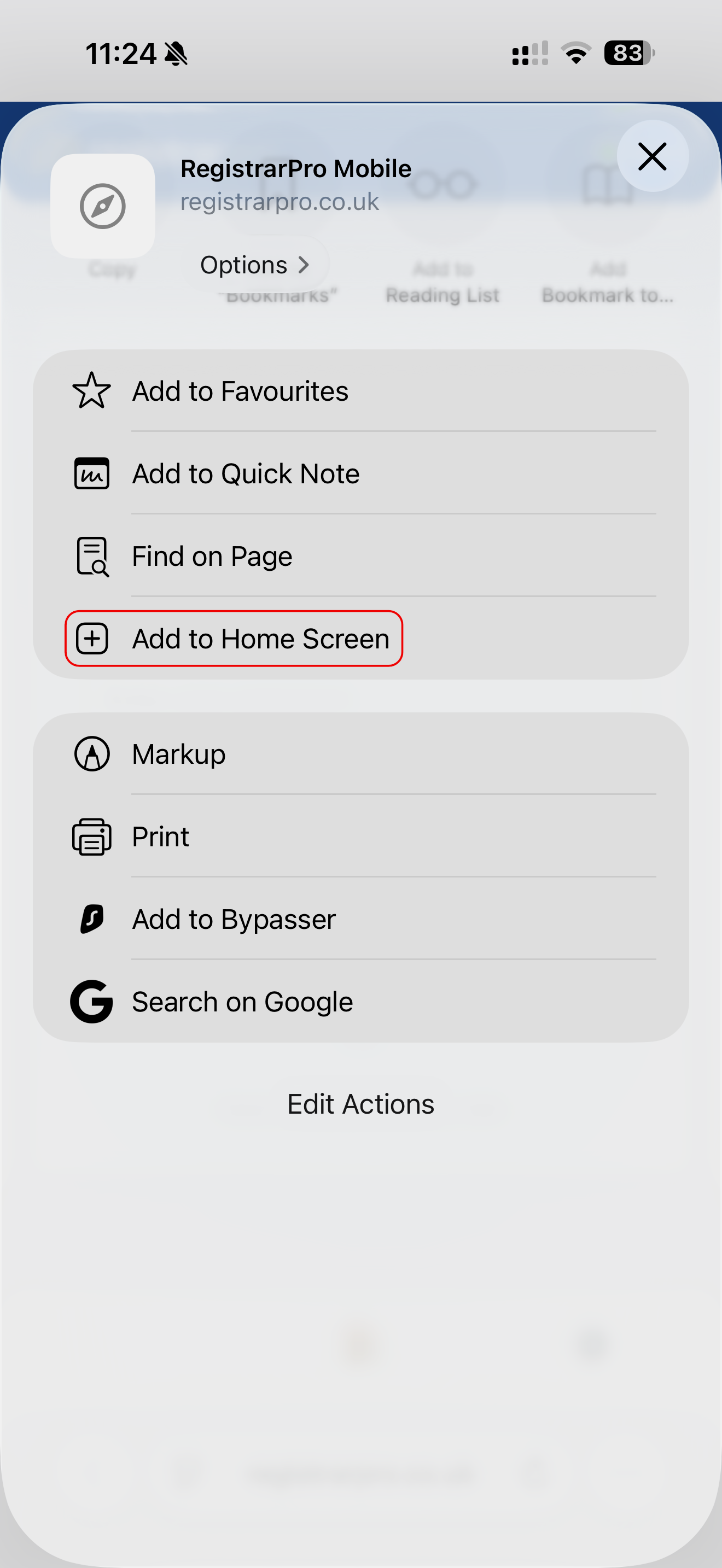
Step 2: Select "Add to Home Screen" and confirm. The app icon will appear on your home screen.
Once installed, the app works offline and syncs when you're back online.
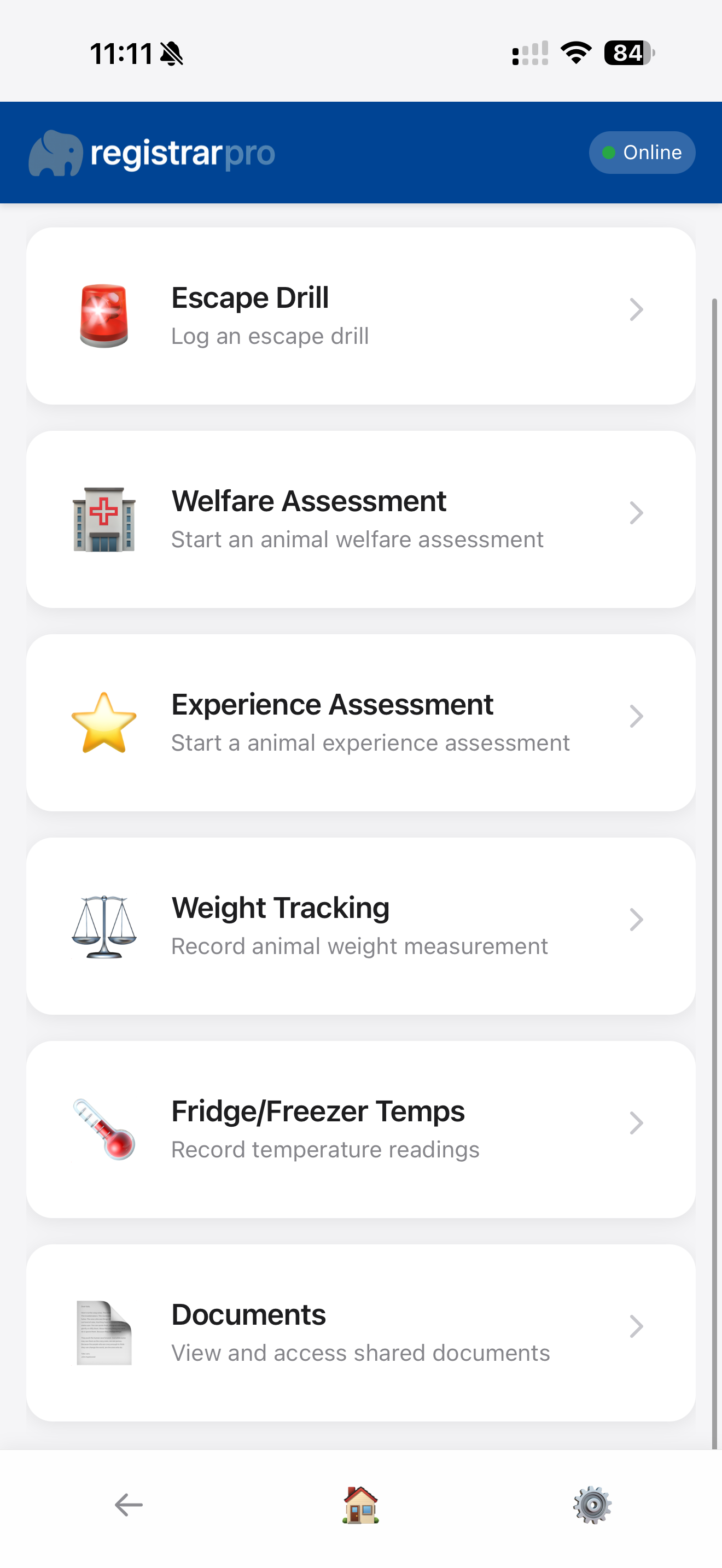
The home screen is your command centre, providing quick access to all major features of the RegistrarPro mobile app.
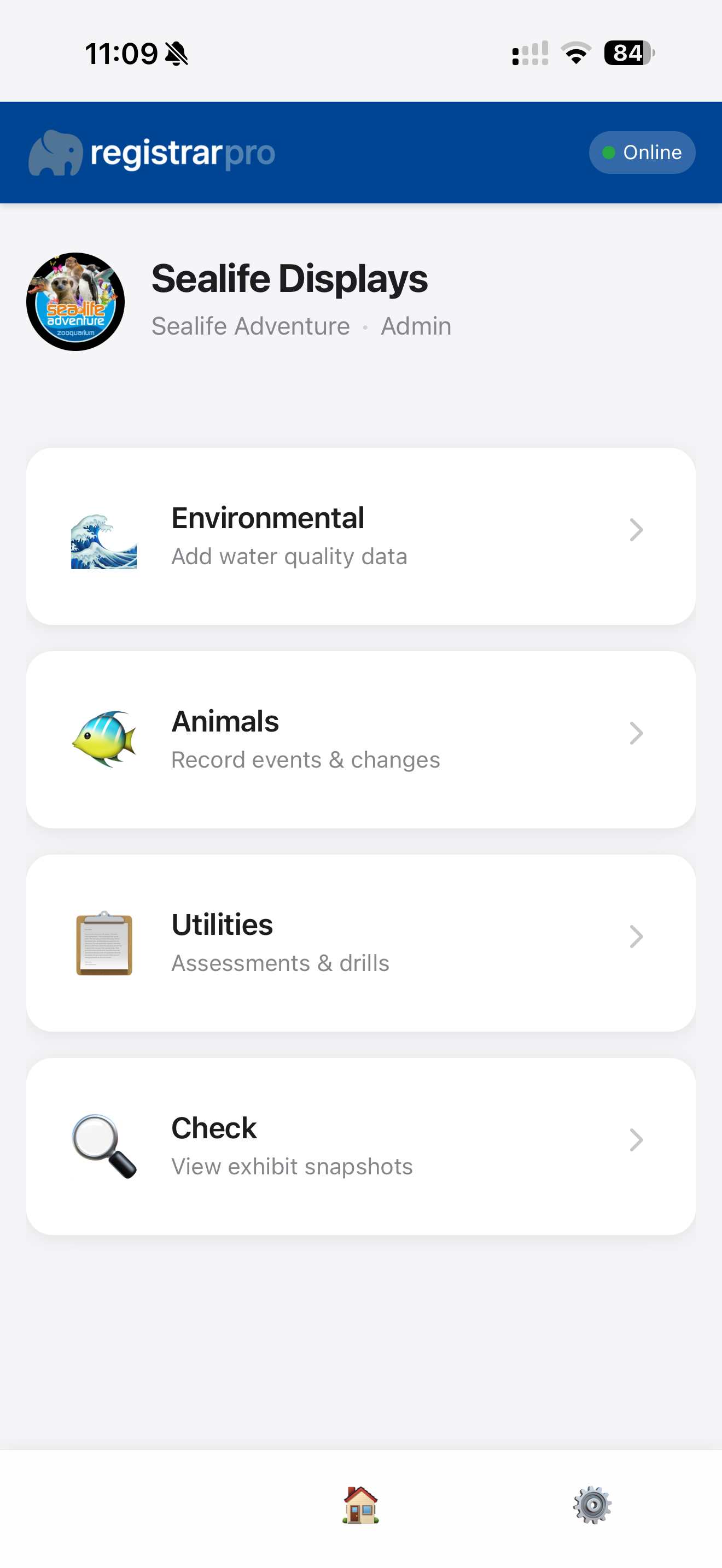
Each option opens a dedicated interface optimised for quick data entry on mobile devices.
Recording environmental data is quick and intuitive. The app guides you through selecting what to measure and where, then capturing the data.
Select whether you want to record readings by parameter (e.g., pH across all exhibits) or by exhibit (e.g., all parameters for Tank 1). You can also record readings for a connected system (e.g., record temperature from Tank 1 and share that reading for all tanks on the same system).
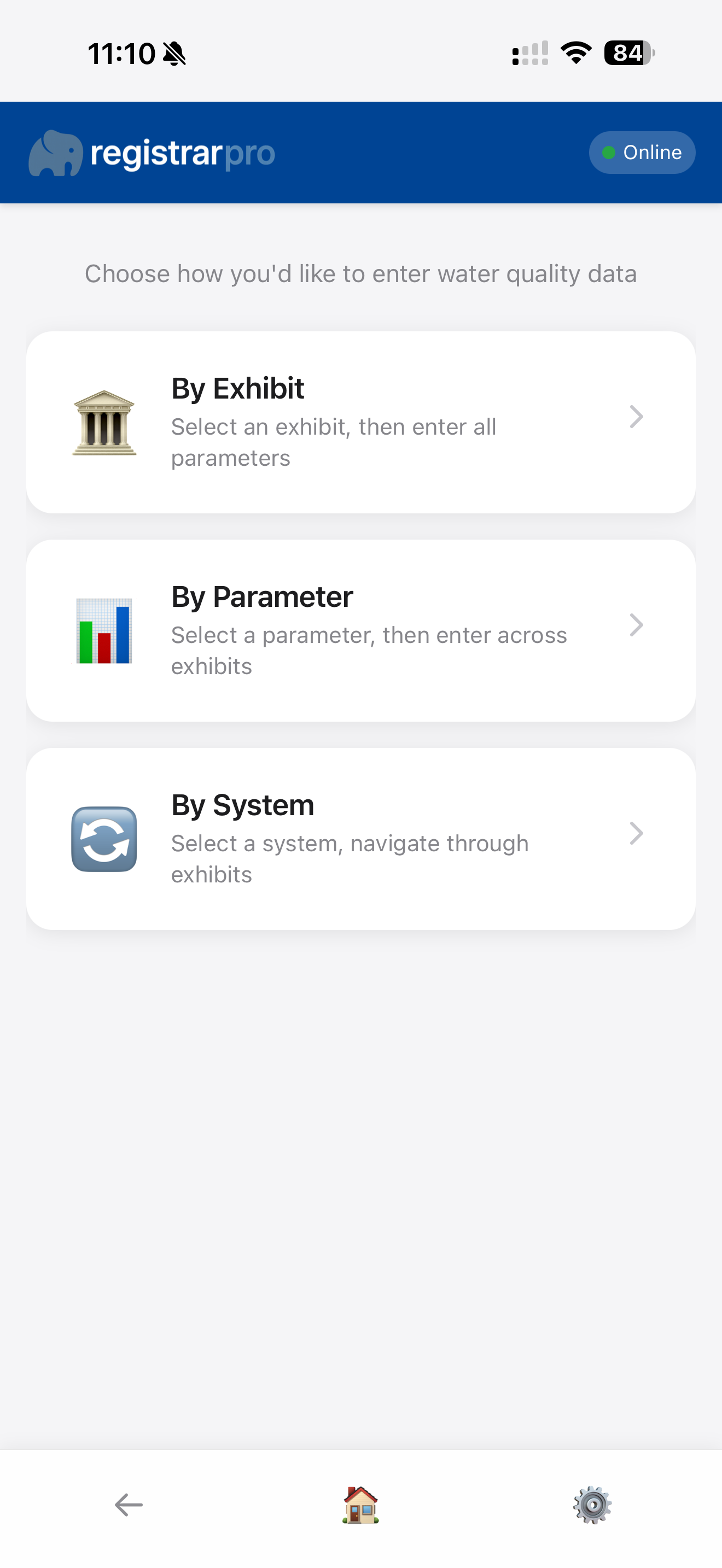
Choose the specific parameter you're measuring or the exhibit you're assessing from dropdown menus populated with your site's configuration.
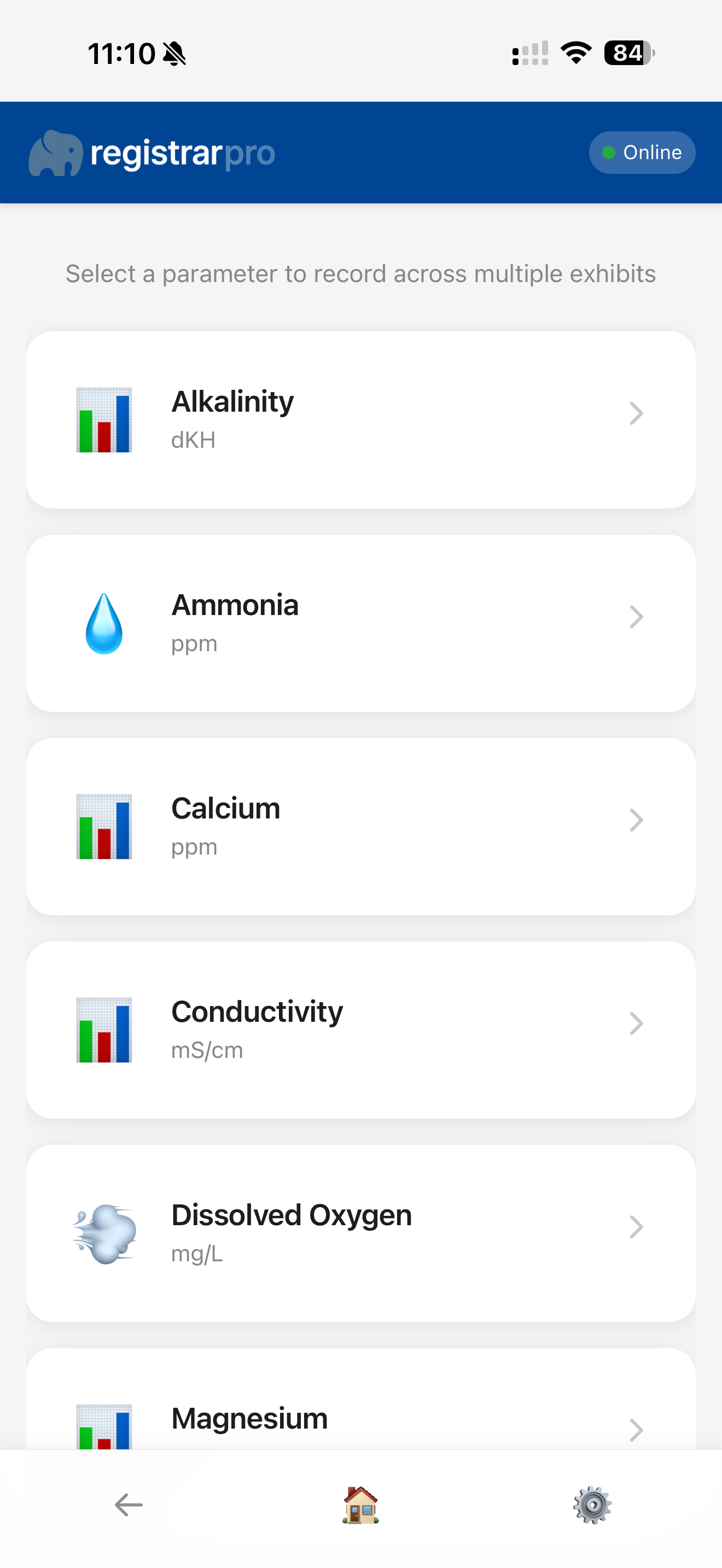
By Parameter: Select a parameter to record across multiple exhibits.
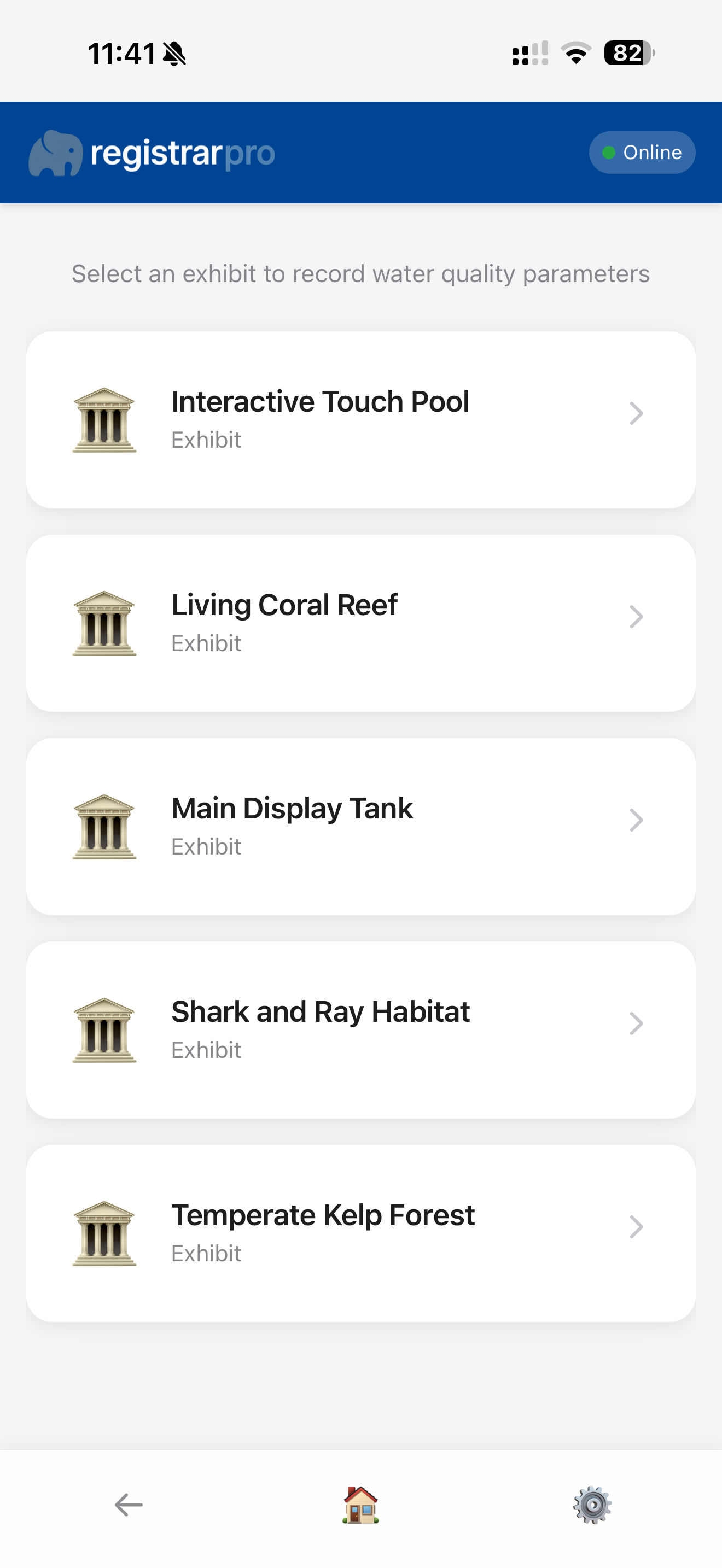
By Exhibit: Select an exhibit to record all parameters for that location.
Input the measured values with units clearly displayed. The form validates your data and provides immediate feedback.
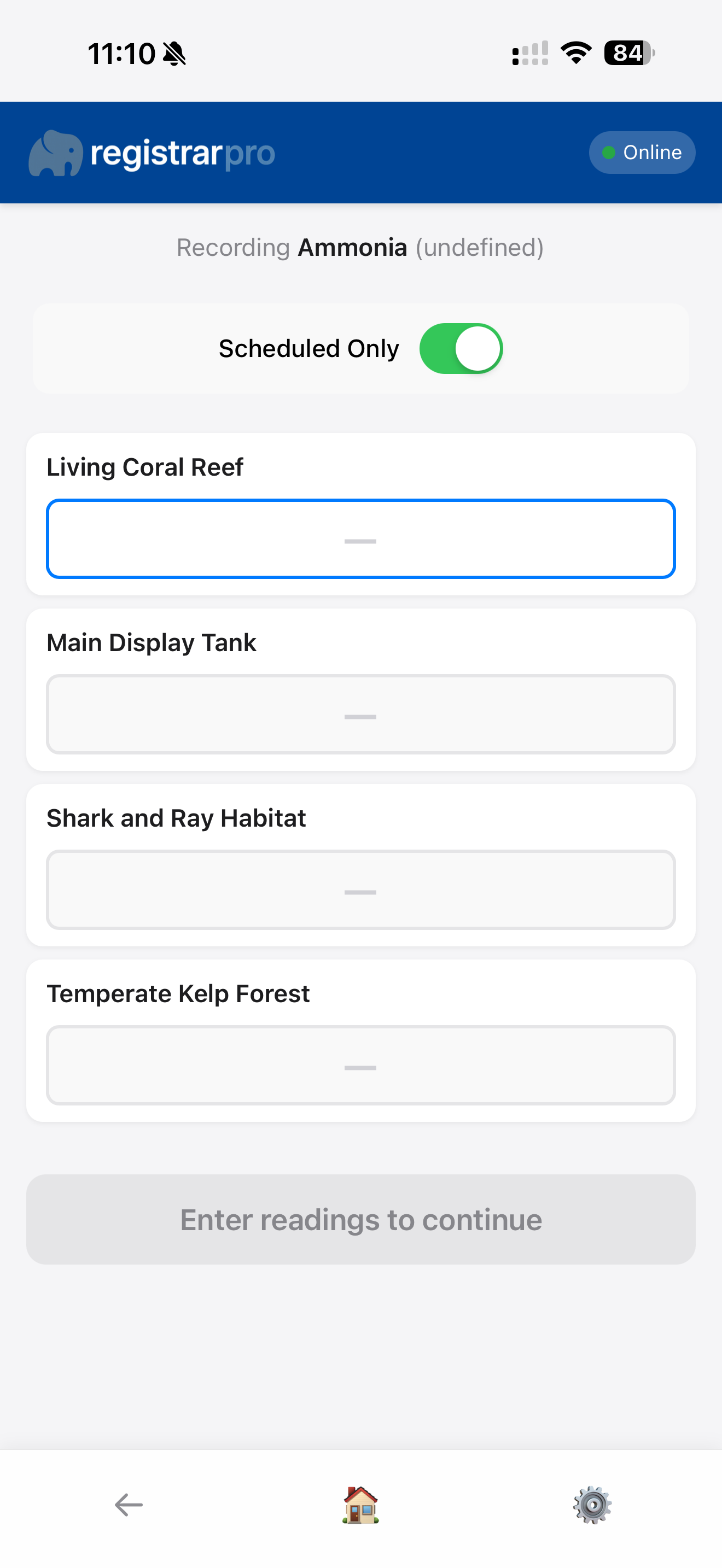
Parameter Entry: Enter readings for one parameter across multiple exhibits.
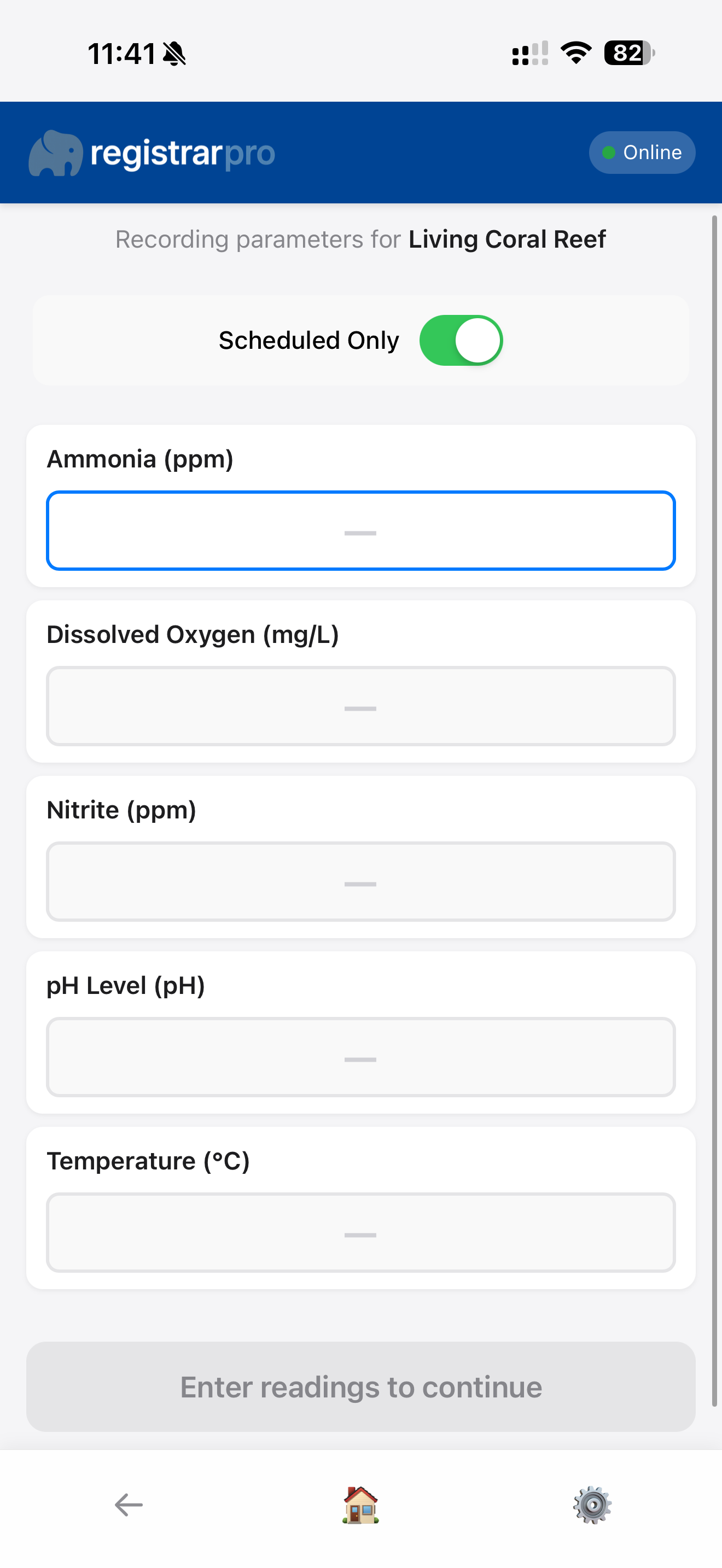
Exhibit Entry: Record all parameters for a single exhibit in one form.
💡 Pro Tip: Readings are saved locally and sync automatically when you're back online, so you can work in areas with poor connectivity.
Manage your animal collection on the move. Record new arrivals, births, transfers, departures, and mortality events with ease.
Choose from a range of transaction types to accurately record changes to your collection.
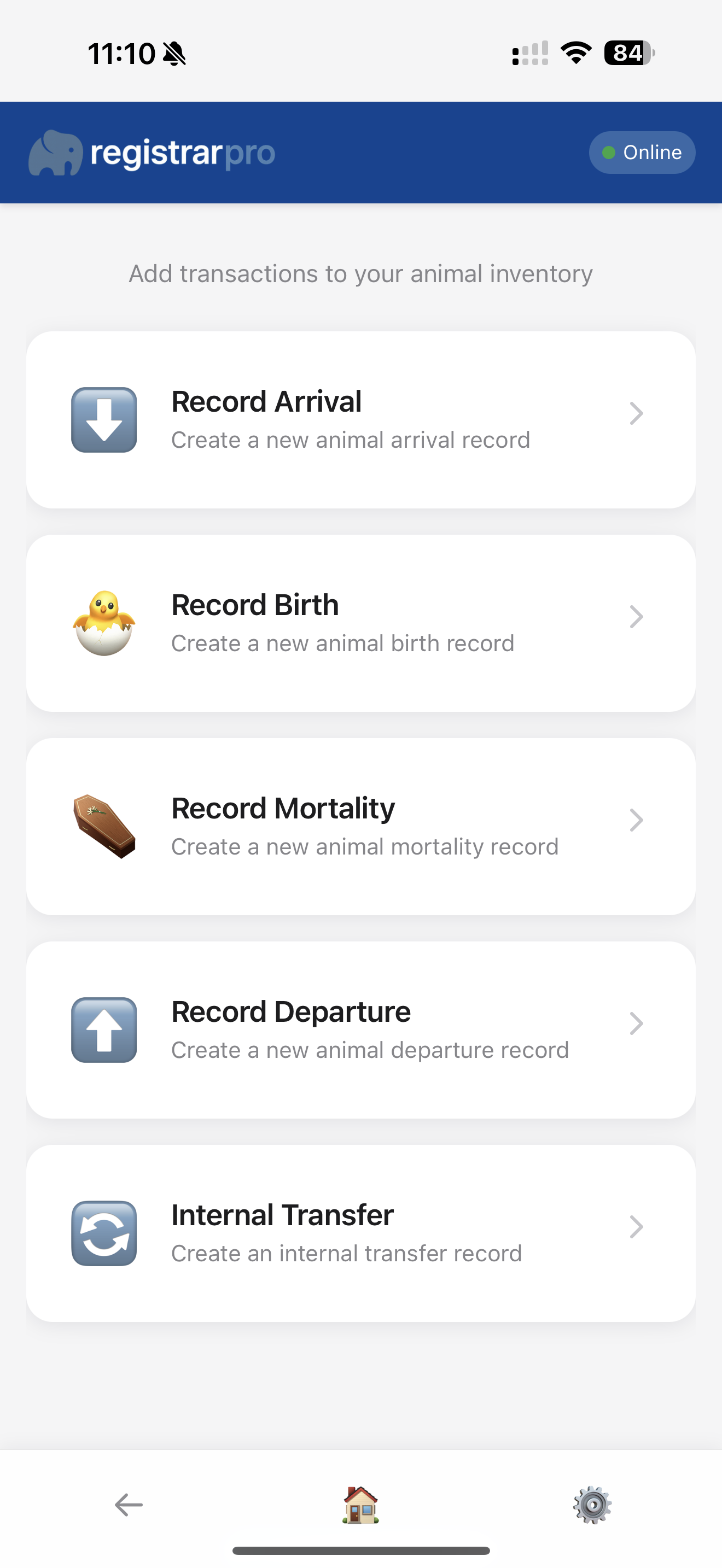
RegistrarPro allows you to track animals at different levels—record detailed information for identifiable individuals or manage groups collectively. For example, when recording a new birth, you'll choose between these tracking options:
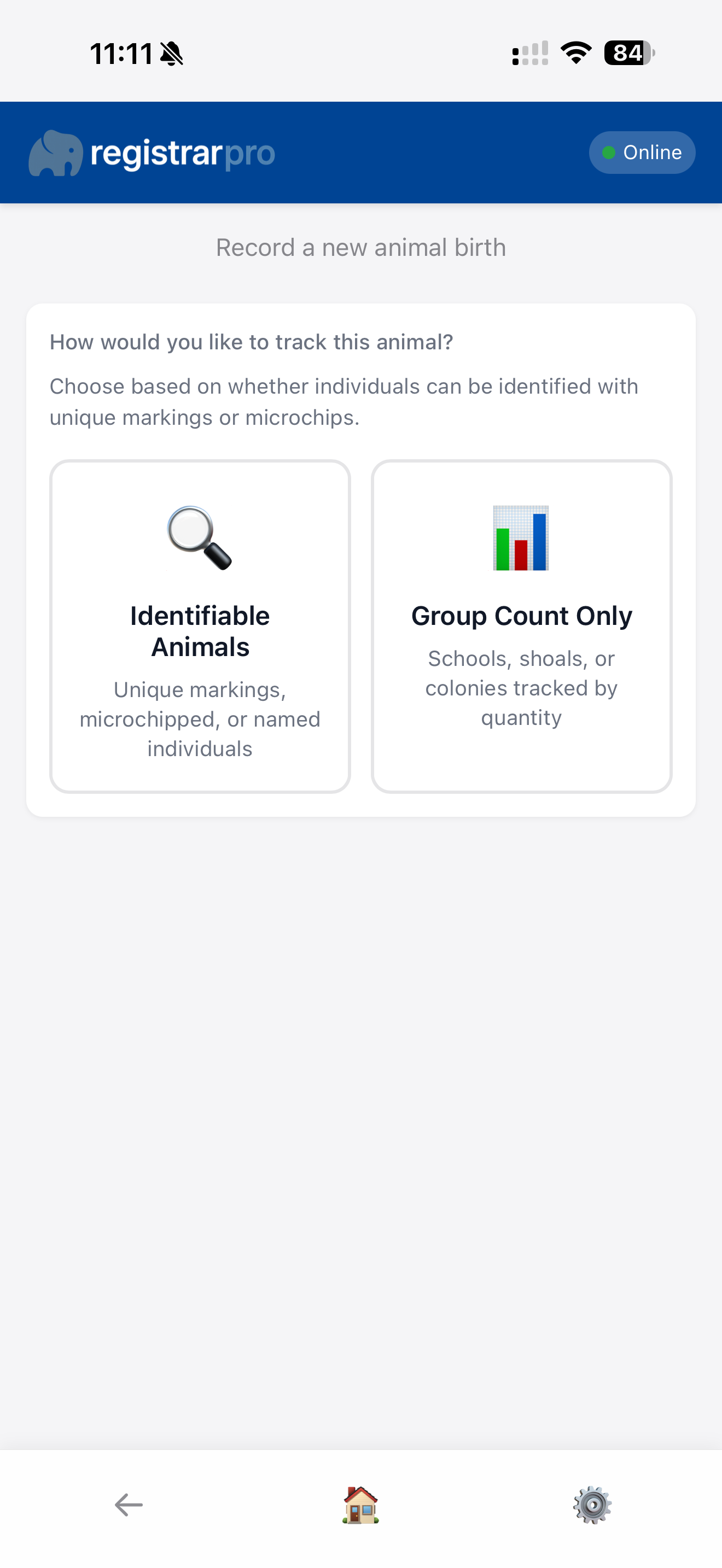
Select Identifiable Animals to record individual details with names and IDs, or choose Group Count Only to manage animals collectively by quantity.
This form guides you through selecting species, tracking level (individual or group), parents (if applicable), exhibit, and other relevant details. Smart forms adapt based on your selections.
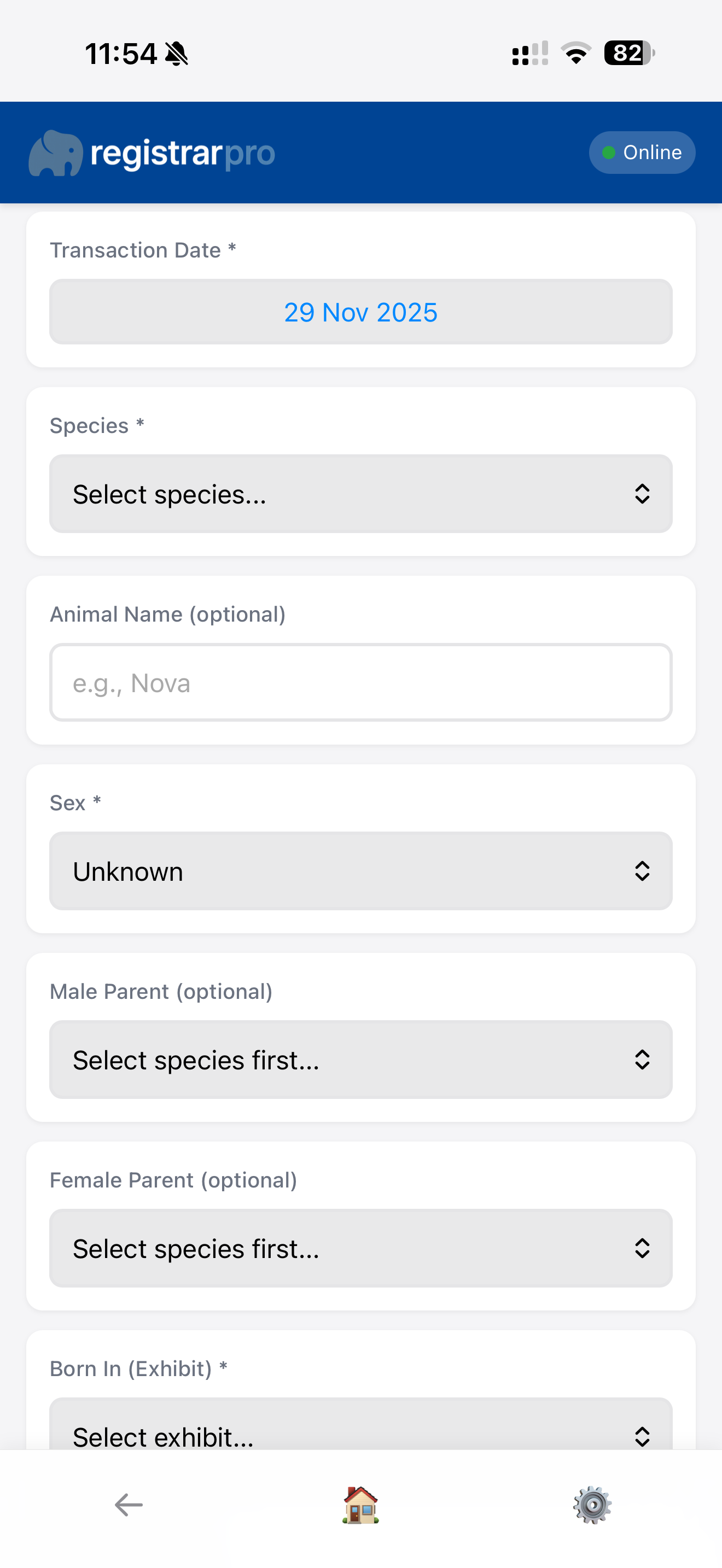
Individual Tracking: Record specific details for each identifiable animal including name, local ID, and individual characteristics.
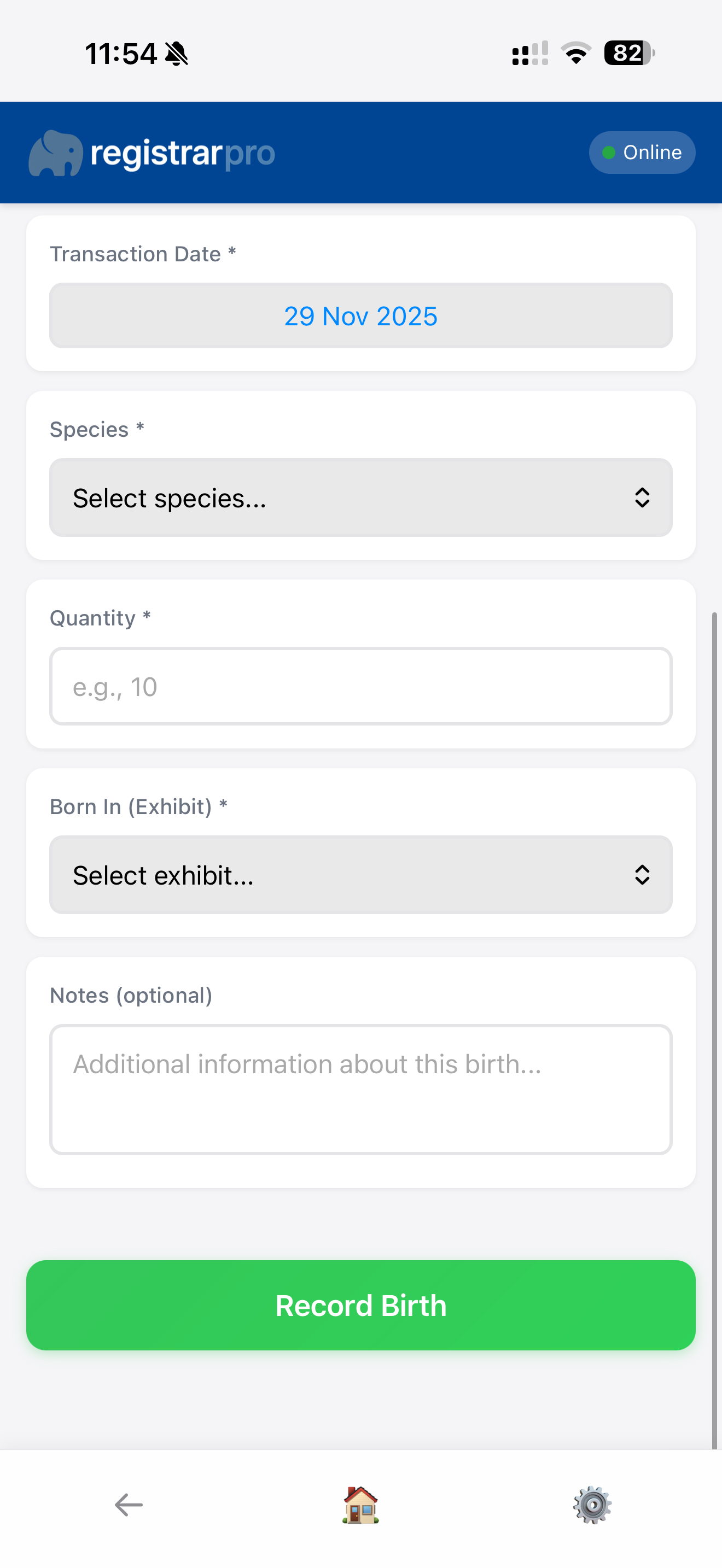
Group Tracking: Manage groups of animals collectively with quantity counts and group-level information.
Access powerful tools for animal care, equipment monitoring, and documentation—all from your mobile device.
Conduct comprehensive welfare assessments using your mobile device. The app presents assessment criteria one at a time for ease of use on smaller screens.

Assessment Form: Select the animal or group and work through each welfare indicator.
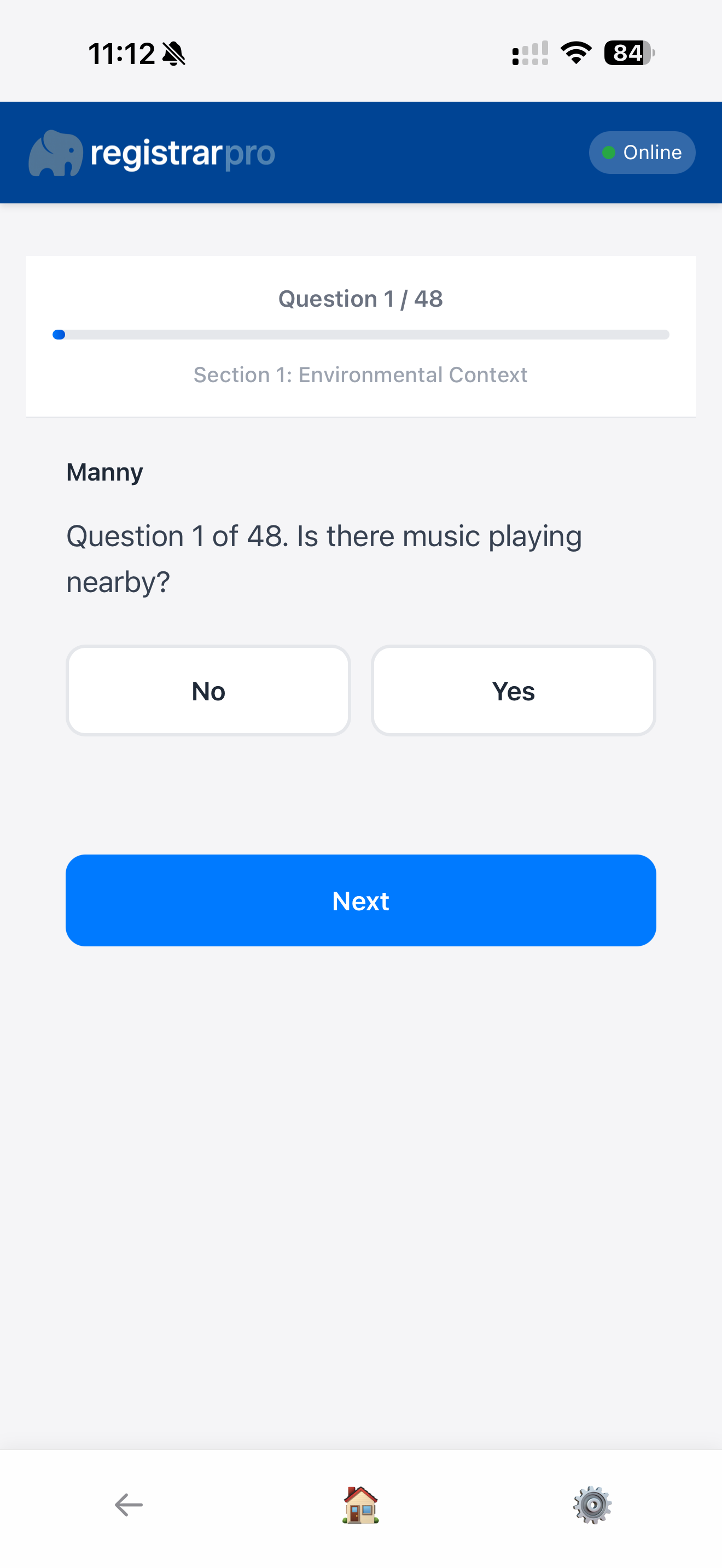
Scoring: Assign scores and add notes for each criterion assessed.
Conduct comprehensive experience assessments using your mobile device. The app presents assessment criteria one at a time for ease of use on smaller screens.
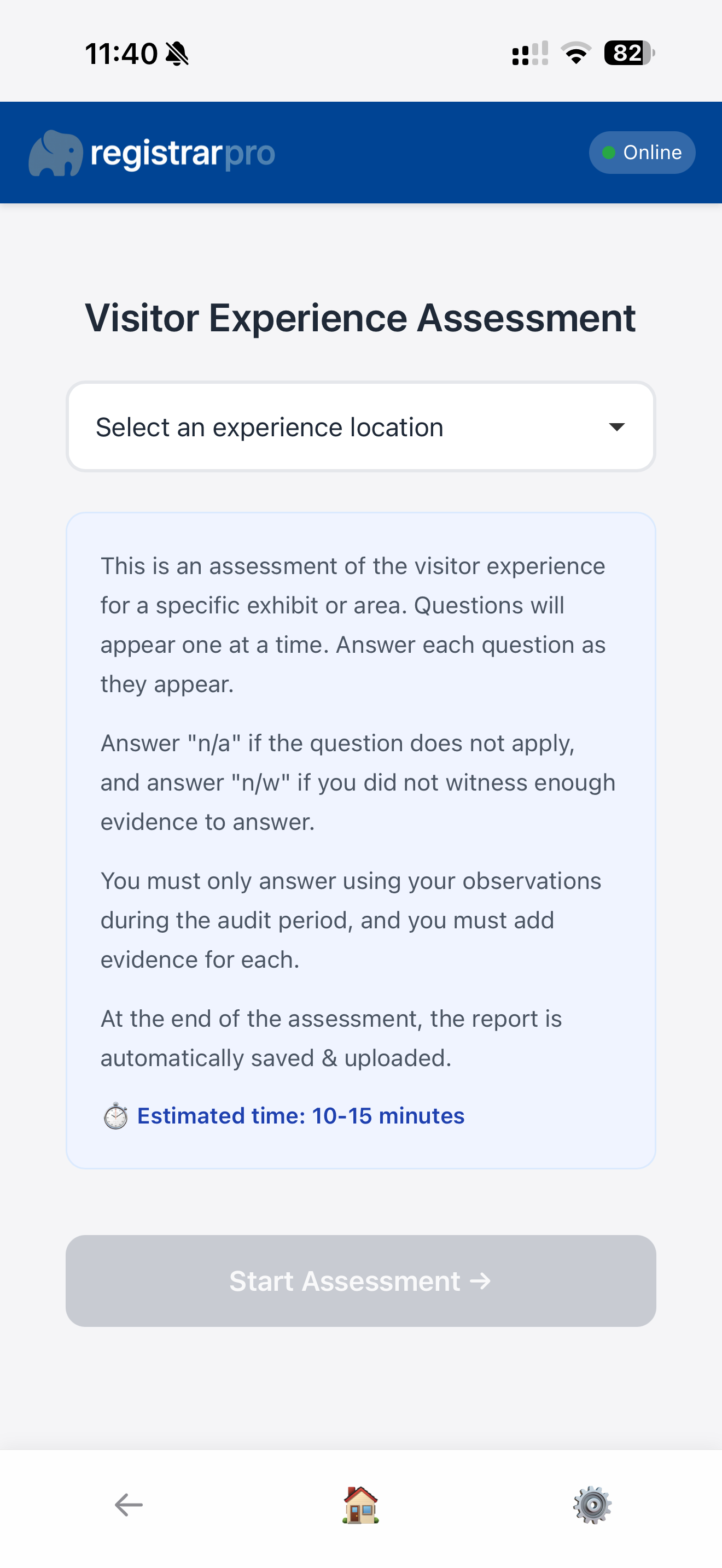
Assessment Form: Select the animal or group and work through each experience indicator.
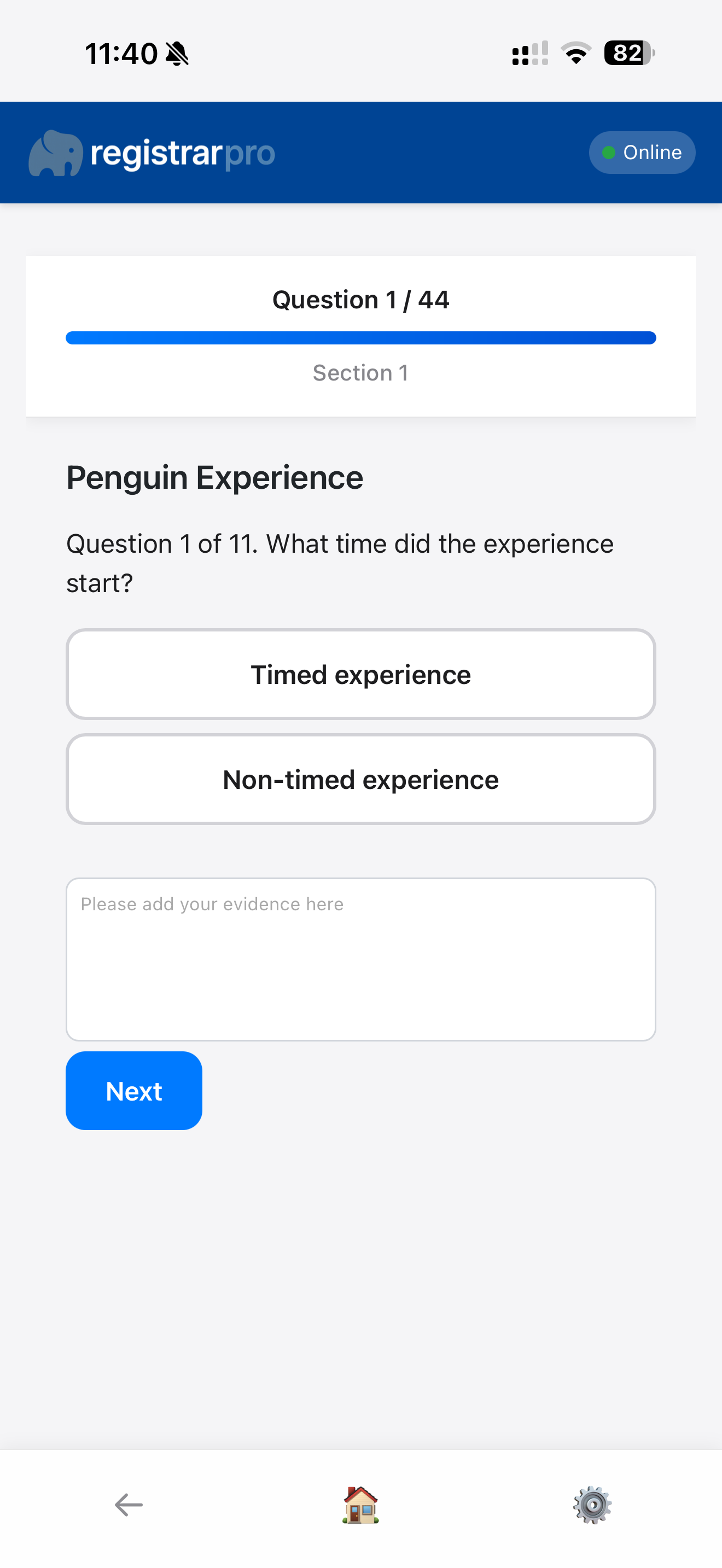
Scoring: Assign scores and add notes for each criterion assessed.
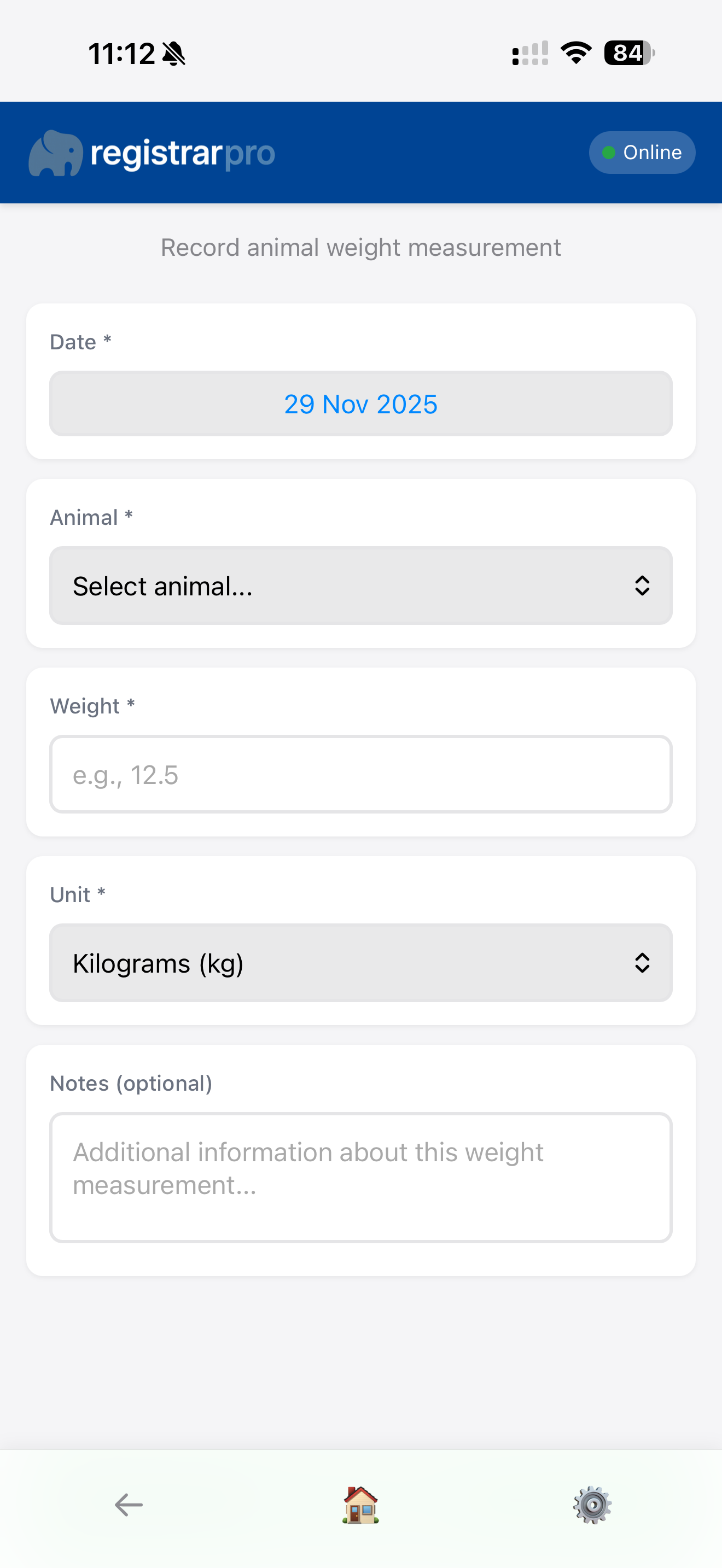
Record animal weights quickly and efficiently. Perfect for routine health monitoring and growth tracking.
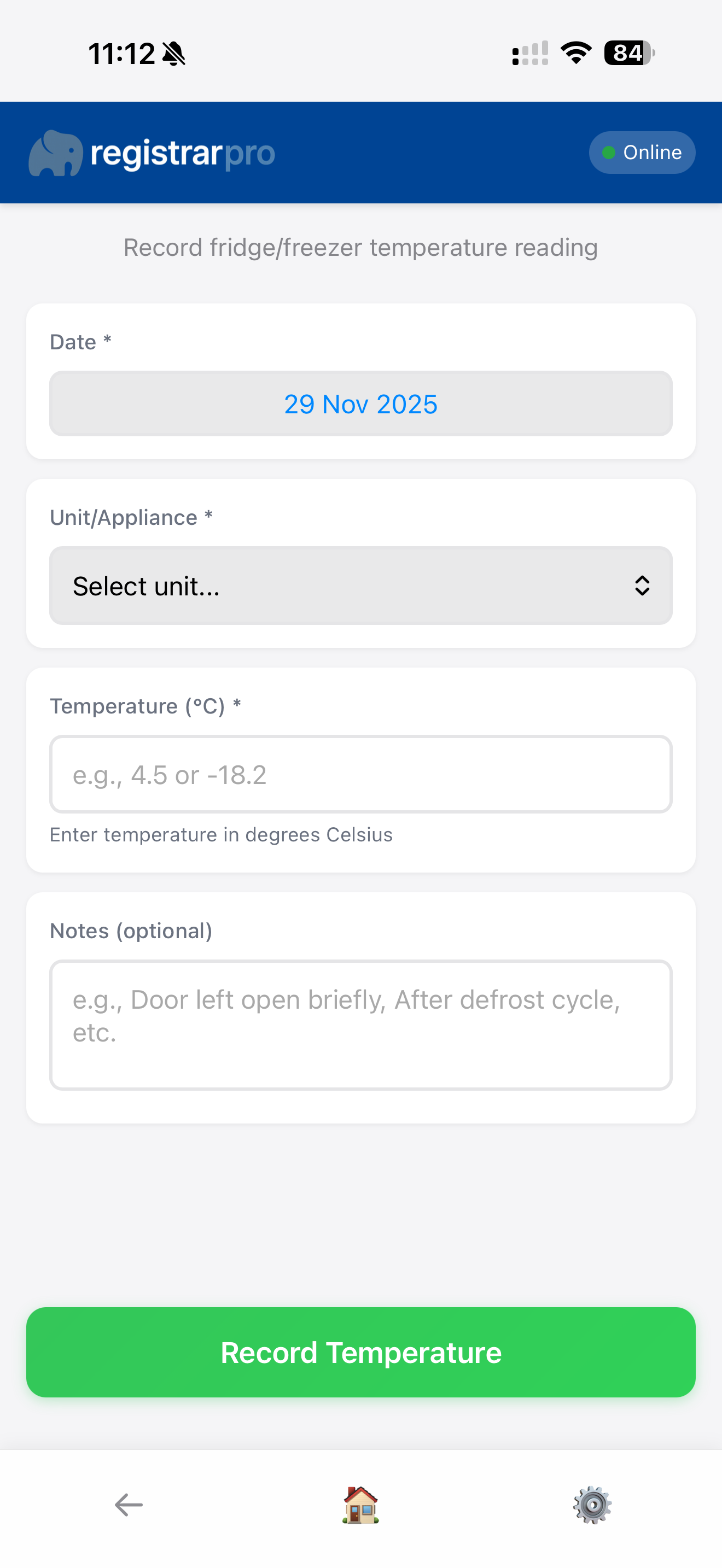
Log equipment temperatures to maintain compliance with food safety standards. Set target ranges and receive visual feedback.
Access important documents, protocols, and reference materials from anywhere. You can view existing files on the go.
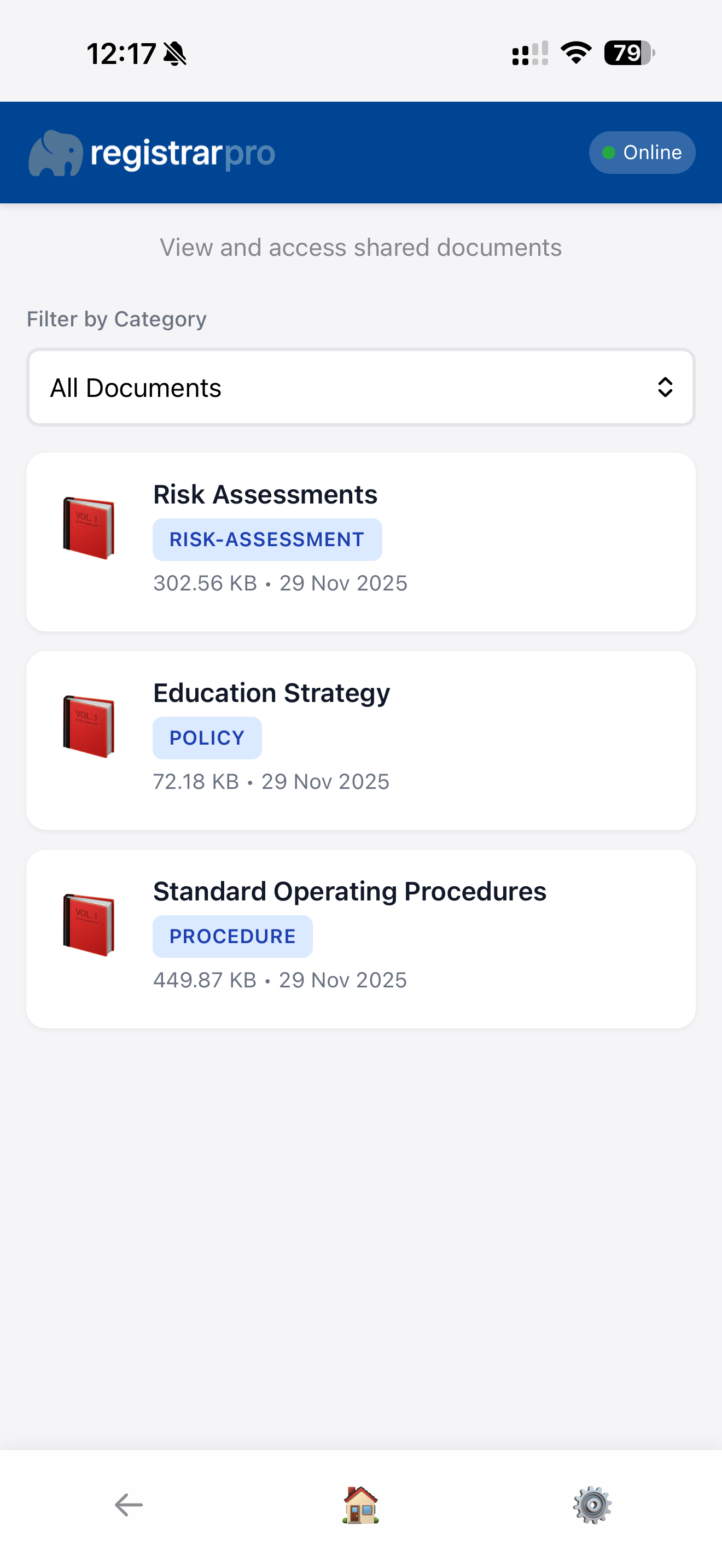
Document List: Browse all available documents organised by category.
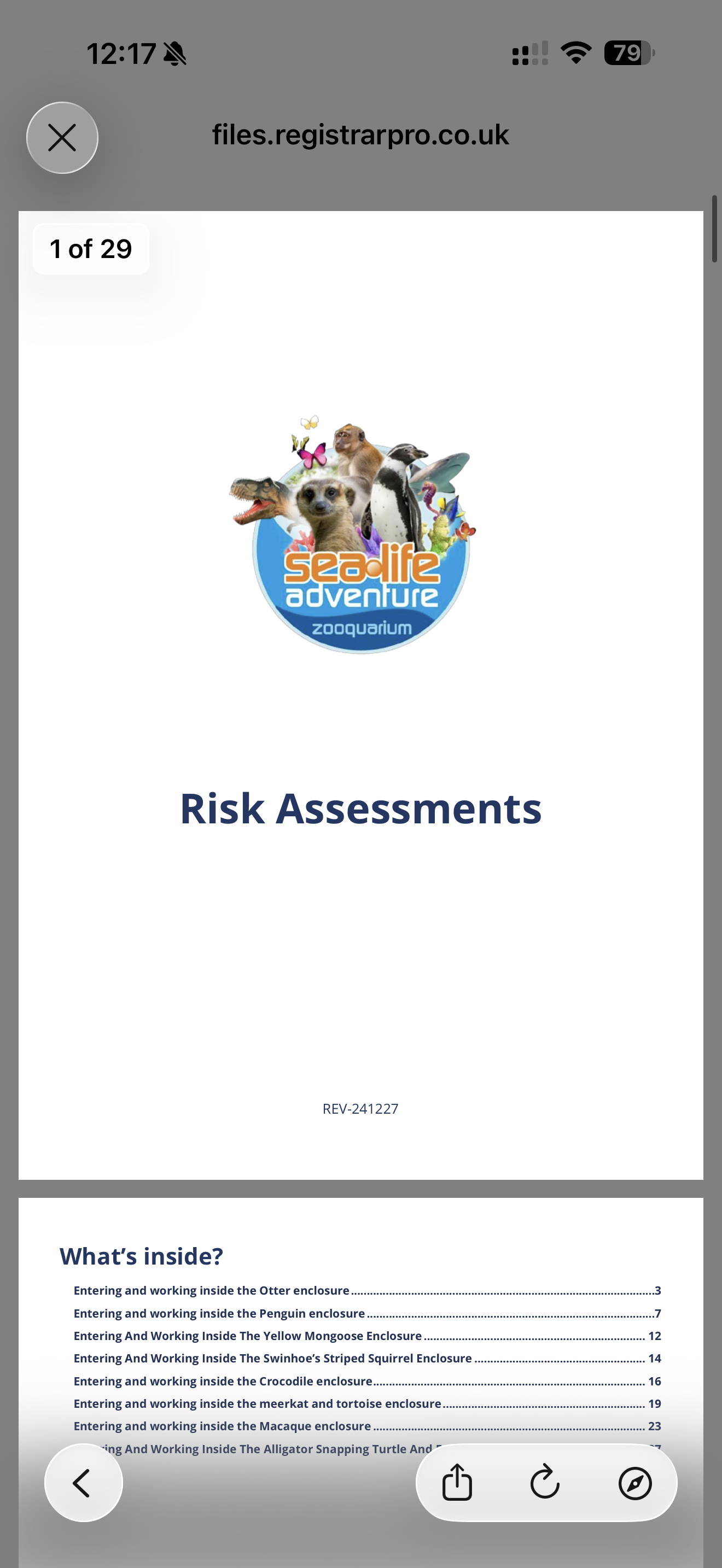
View Documents: Preview existing documents directly on your device.
Get instant insights into your exhibits with the powerful snapshot feature. Browse all exhibits and view comprehensive snapshots showing current environmental conditions, animal inventory, and system status.
View all exhibits with a searchable list. Use the search function to quickly locate specific exhibits by ID, name, or system. Results update in real-time as you type.
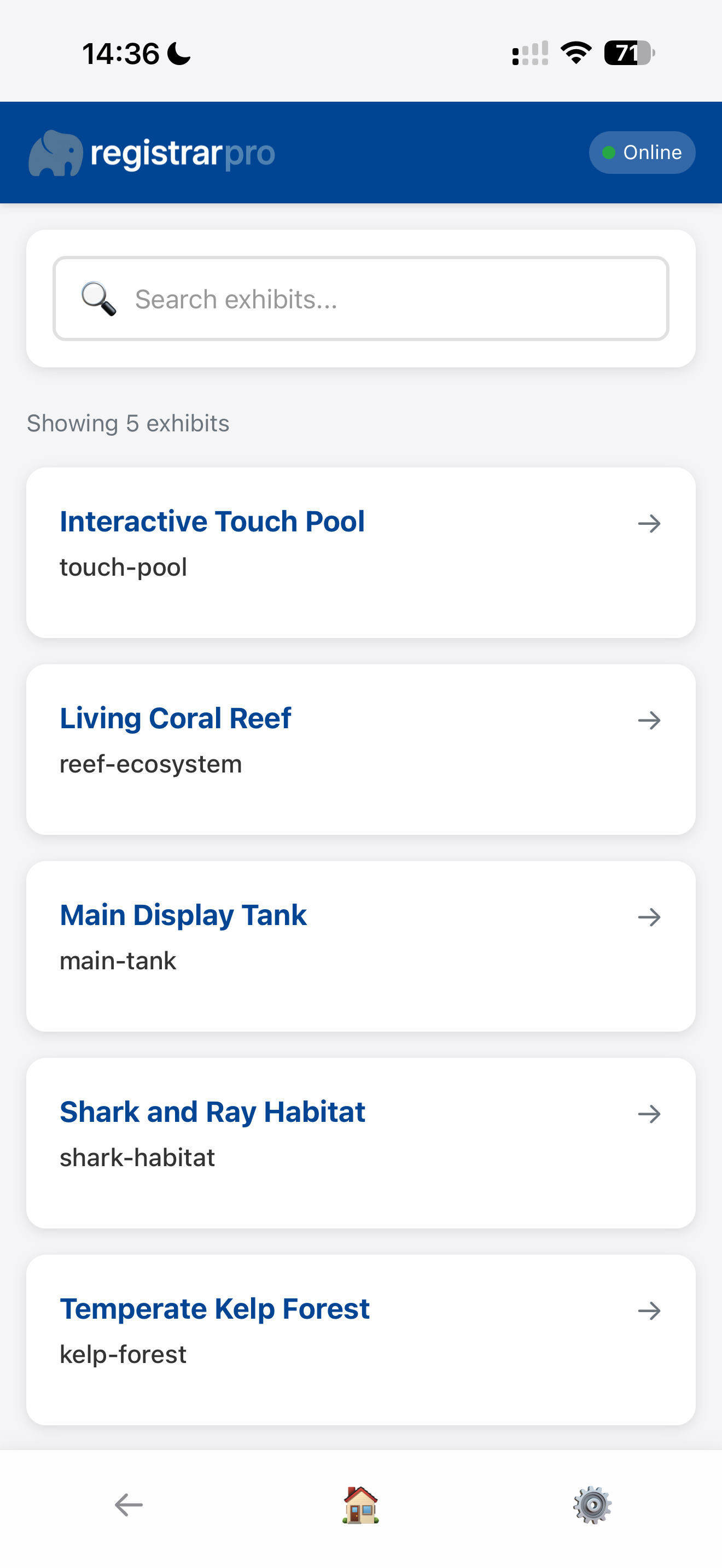
Tap any exhibit to see a comprehensive snapshot including quick stats, latest environmental readings, current animal inventory, and any active alerts.
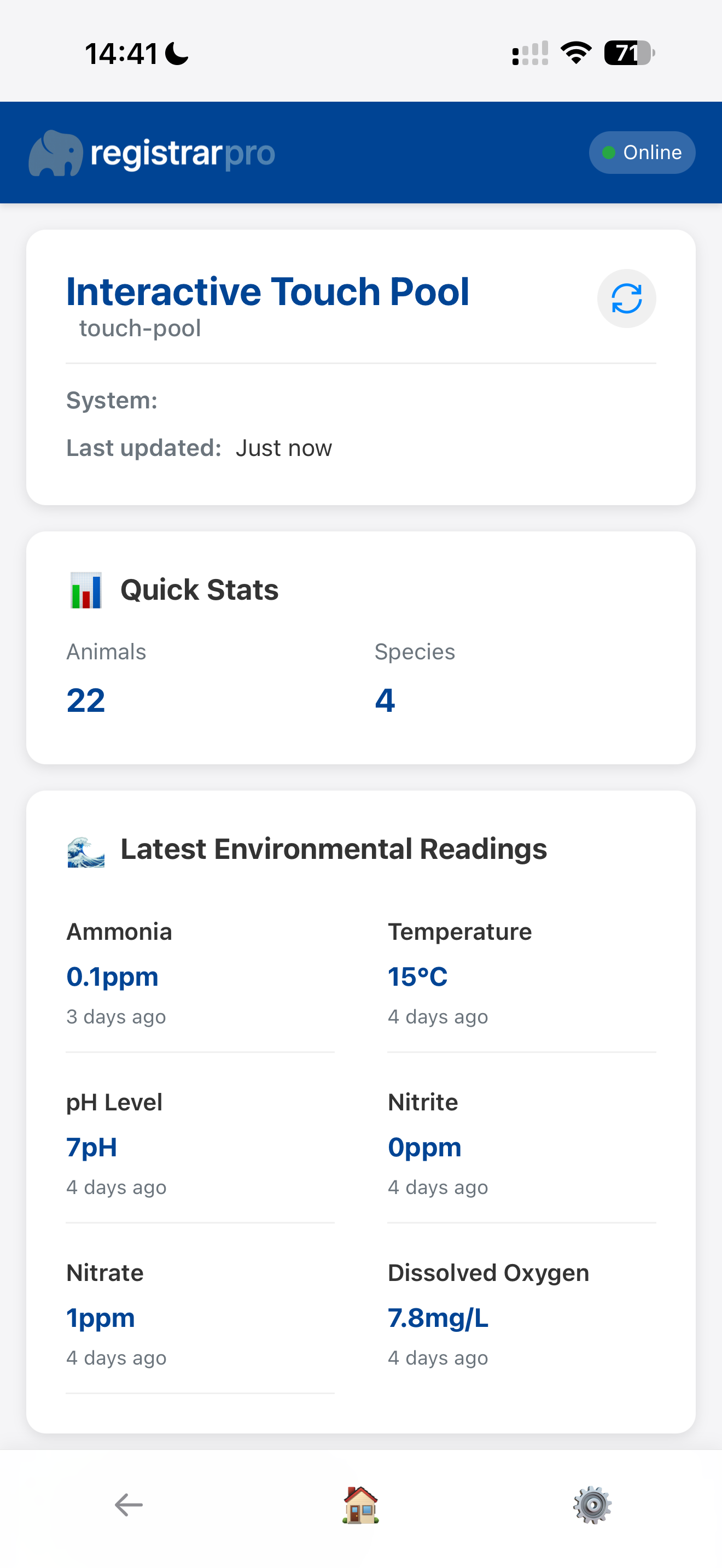
Upper Section: View exhibit header with refresh button, quick stats (total animals and species count), and the latest environmental readings displayed in a clean two-column layout.
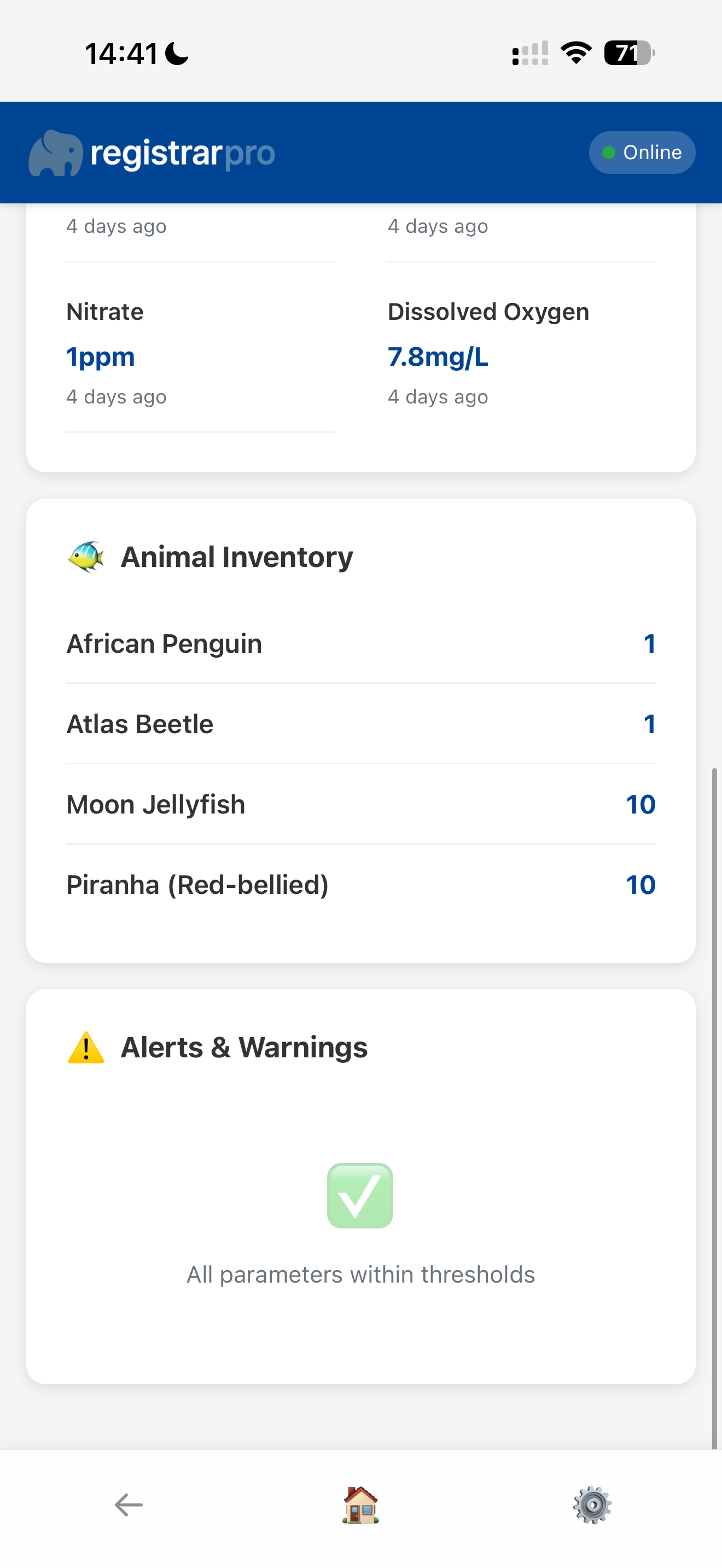
Lower Section: See complete animal inventory broken down by species (including both individually-tracked animals and group quantities), plus any active alerts or warnings.
🎯 Quick Access: Snapshots provide instant answers to common questions: "What's in this exhibit?" "What are the current water parameters?" "Are there any alerts?" Perfect for daily operations, handovers, and quick status checks.
Access your account settings, view team information, and manage your session from the settings screen.

User Settings: View your account details and role.
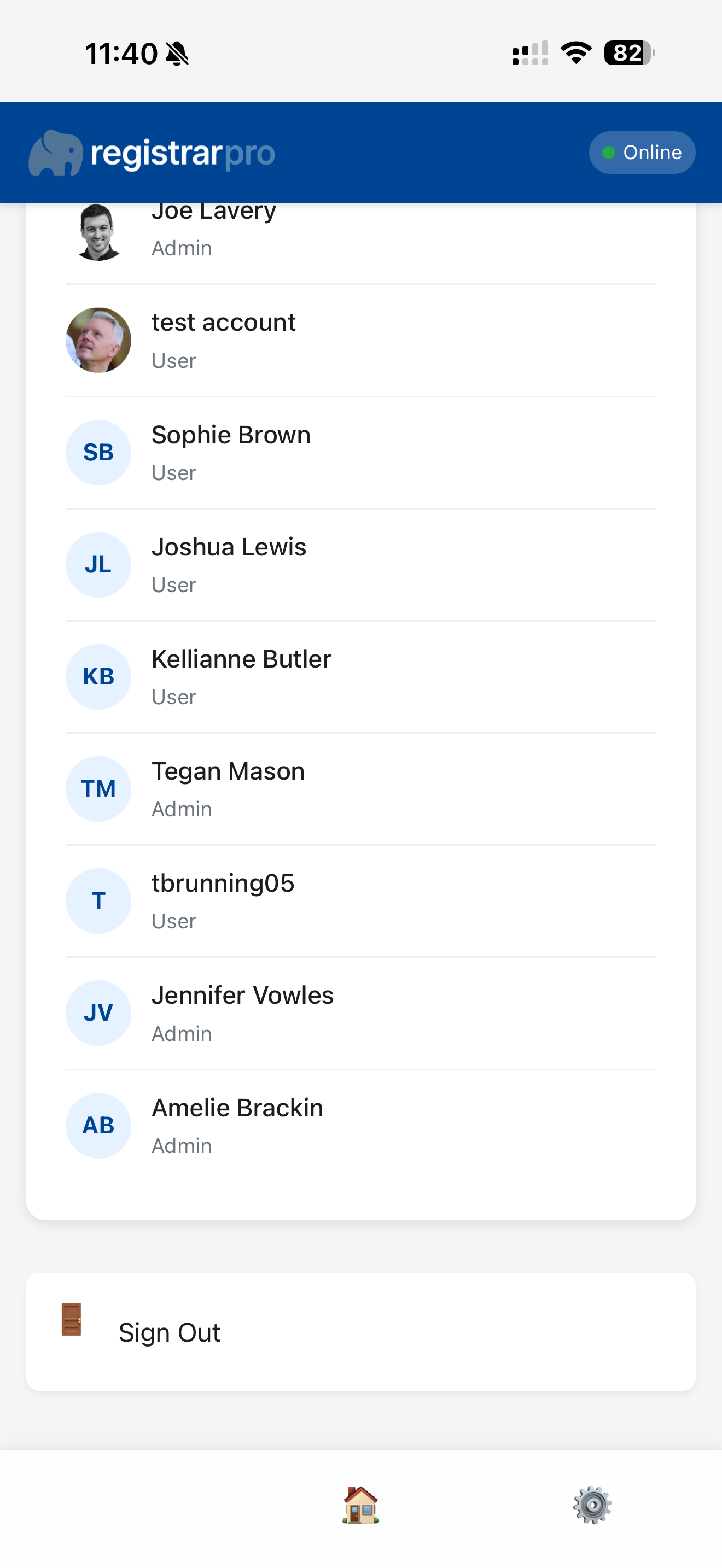
Team Information: Access site and organisation details.
Your settings are synced with the main RegistrarPro system, ensuring consistency across all devices.
If you encounter any issues or have questions about using the mobile app, please contact your system administrator or reach out to the RegistrarPro support team.
For more detailed guidance and troubleshooting, visit the RegistrarPro Help Centre.
The mobile app is regularly updated with new features and improvements. Make sure to refresh your app periodically to get the latest version.